







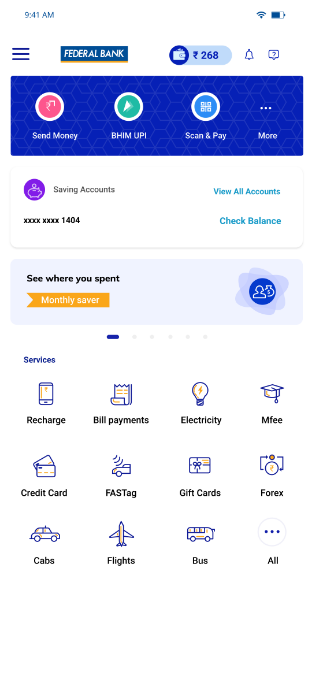


How to scan and pay?
- Login to the FedMobile app and tap on ‘Scan N Pay’ on the Home screen.
- Scan the UPI QR code in front of the phone camera.
- Enter the amount to pay.
- Enter your UPI PIN to complete the transaction.
Use cash and lose 5 minutes of your valuable time, use cards and lose 1 minute of your valuable time, but scan the QR and only spend 10 seconds of your time to pay the bill. So, no swiping cards, no exchanging cash, only scan UPI QR code to make payments in a flash. Use FedMobile to scan, pay and save time.
You can transfer money 24*7 up to FedMobile’s set quick pay limit or maximum Rs.1 Lac per day by scanning UPI QR using the FedMobile app. The limit resets every 24 hours.
Not able to view the feature in FedMobile ?